

A customer fills your contact form on Monday. It lands in an inbox nobody checks until Wednesday. By then, they have messaged two competitors. Slow, manual handoffs quietly cost businesses leads every week. Digital marketing workflow automation fixes this by connecting your forms, CRM, email and WhatsApp so routine tasks run on their own and nothing slips through.
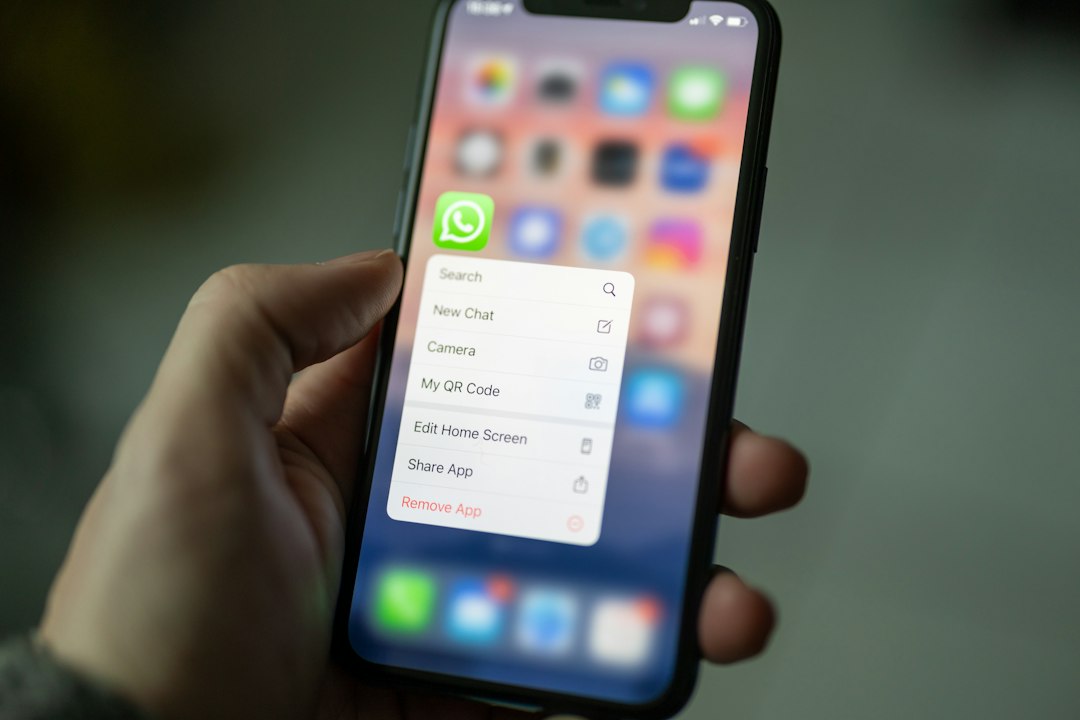
What Is Workflow Automation?
Workflow automation is the use of software to connect your apps and run a series of tasks automatically when a trigger happens, such as a form submission, a payment or a new message. Instead of copying data between tools by hand, the workflow moves it for you.
It is the practical engine behind most digital marketing automation. See my workflow automation for business project for the kind of systems I build, and read our broader digital marketing automation guide for the bigger picture.
Signs You Need Digital Marketing Workflow Automation
- You copy lead details from emails or forms into spreadsheets.
- Enquiries wait hours for a first reply.
- Different team members keep separate lists of customers.
- You forget follow-ups, reminders or review requests.
- Reports take hours to build every month.
5 Digital Marketing Workflows Every Business Can Automate
1. New lead to CRM, notification and instant reply
When a form is submitted, the workflow saves the lead to your CRM with its source, alerts your team on WhatsApp or email and sends the customer a friendly confirmation.
2. Follow-up for unanswered enquiries
If a lead has not been contacted or has not replied after a set time, the workflow sends a reminder to your team or a gentle follow-up to the customer.
3. Booking confirmations and reminders
Send confirmation messages after booking and reminders before appointments. This reduces no-shows and saves manual calls.
4. Review requests after service
A few days after a job is completed, send a polite message asking for a review. More reviews build trust and help local visibility. Our small business digital marketing guide explains why this matters.
5. Weekly reports
Pull numbers from your ad accounts, analytics and CRM into one summary and send it every Monday morning.
| Trigger | Automatic actions | Benefit |
|---|---|---|
| Contact form submitted | Save to CRM, notify team, send thank-you message | Faster first reply, no lost leads |
| Lead idle for 2 days | Remind owner, send follow-up | Fewer forgotten enquiries |
| Appointment booked | Send confirmation and reminder | Fewer no-shows |
| Job completed | Request review | More social proof |
| Every Monday | Compile and send report | Time saved, clear numbers |
Tools That Connect Your Apps
Workflow builders such as Zapier, Make and n8n let you connect hundreds of apps without heavy coding. Some CRMs and email platforms also include built-in automation. The best choice depends on your budget, the apps you use and how much control you need, so compare features and pricing on each provider’s website before you decide.
For WhatsApp, use the official WhatsApp Business tools and approved providers, and only message people who have agreed to hear from you.
How to Build Your First Workflow
Step 1: Map the manual process
Write down every step from the moment an enquiry arrives to the moment it becomes a customer. Circle the steps that are repetitive or often missed.
Step 2: Choose a trigger and the actions
Keep the first workflow small, such as form to CRM plus notification plus reply.
Build and name everything clearly
Give each workflow, field and message a clear name. Your future self will thank you.
Handle errors
Decide what happens if a tool is down or data is missing. A simple alert to you or your team is often enough.
Test with real examples
Submit test forms, check each message, and confirm data lands in the right place before you go live. Make sure your lead event is tracked, and Google shows how to mark key events in Analytics.
Step 3: Monitor and improve
Review workflow logs weekly at first. Track reply time, leads handled and tasks saved, then add the next workflow.
Privacy and Security Basics
- Collect only the data you need and explain how you will use it.
- Get consent before sending marketing messages.
- Store passwords and API keys securely, not in shared documents.
- Give team members access only to what they need.
- Check the laws and platform rules that apply in your country.
Where AI and Ads Fit In
You can add AI to workflows to draft replies or summarise leads, as explained in our guide to AI in digital marketing. You can also connect ad platforms to alerts and reports. Learn more in ads automation for Meta and Google.
Common Workflow Automation Mistakes
- Automating a broken process instead of fixing it first.
- Building huge workflows before testing a small one.
- Sending messages without consent.
- Forgetting to monitor and maintain workflows.
- Removing the human touch from important conversations.
Conclusion: Connect Once, Save Time Every Day
Digital marketing workflow automation turns scattered tools into a reliable system that captures leads, follows up fast and reports clearly. Start with one workflow, test it carefully and expand as it proves its value. If you are just beginning, read what digital marketing is first.
Want your tools to work together?
I build workflows that connect your website forms, CRM, email and WhatsApp so every enquiry is captured, answered and tracked automatically. Tell me which tools you use today and I will map the first workflow.
Frequently Asked Questions
What is workflow automation for business?
Workflow automation uses software to connect your apps and run tasks automatically when a trigger happens, such as a form submission. It moves data, sends messages and creates tasks without manual copying.
Which workflows should I automate first?
Start with new lead handling: save the lead to your CRM, notify your team and send an instant reply. Then add follow-up reminders, booking confirmations, review requests and weekly reports.
Which tools are best for workflow automation?
Popular choices include Zapier, Make and n8n, along with built-in automation in many CRMs and email platforms. Choose based on the apps you use, your budget and how much customisation you need.
Can I automate WhatsApp messages?
Yes, using official WhatsApp Business tools and approved providers. Only message people who have agreed to receive messages, follow platform rules and provide an easy way to stop.
Is workflow automation expensive?
Costs vary. Many tools offer free or low-cost plans that suit simple workflows, while advanced systems cost more. Start small and calculate the time you save before upgrading.
Will automation replace my team?
No. Automation handles repetitive tasks, so your team can spend time on conversations, creative work and strategy. Keep humans involved in sensitive or high-value interactions.
How do I keep automated workflows secure?
Collect only needed data, get consent, store keys and passwords safely, limit access and monitor workflow logs. Review permissions regularly and follow the laws that apply in your country.