

Many businesses spend hours every week copying leads into spreadsheets, sending the same reply and building reports by hand. Digital marketing automation removes that repetitive work so you can focus on strategy and customers. This guide explains what it is, what to automate first and how to set it up without losing the human touch.
What Is Digital Marketing Automation?
Digital marketing automation is the use of software to run repetitive marketing tasks automatically, such as sending follow-up messages, scoring leads, scheduling posts and building reports, based on rules you define. A trigger, like a form submission, starts a chain of actions without anyone clicking a button.
It is not about replacing people. It is about making sure every enquiry gets a fast, consistent response and every campaign gets measured. You can see how I apply it in my marketing automation project.
Benefits of Marketing Automation
- Speed: New leads get a reply in seconds, not hours.
- Consistency: Every customer receives the same quality of follow-up.
- Less manual work: Your team stops copying and pasting data.
- Better insight: Reports update themselves, so decisions use fresh numbers.
- Scalability: You can handle more enquiries without adding staff.
What to Automate First
Start where time is wasted and mistakes happen. These six areas give the best return for most businesses.
1. Lead capture and instant reply
When someone fills a form or clicks your WhatsApp link, send a thank-you message and notify your team. A fast reply greatly improves your chances of winning the enquiry.
2. Lead storage and tagging
Send every lead into one place, such as a CRM or spreadsheet, and tag it with the source, service and date. This makes reporting simple.
3. Follow-up sequences
Create a short sequence of emails or WhatsApp messages that nurtures people who did not reply. Three well-timed messages often work better than one long pitch.
4. Social media scheduling
Plan content in batches and schedule it. This keeps your brand consistent even in busy weeks. Pair it with a plan from our guide to content planning and strategy.
5. Ad rules and alerts
Set rules that pause poor ads, alert you to budget spikes or flag falling results. Google describes how to set up automated rules in Google Ads. For a deeper look, read ads automation for Meta and Google.
6. Reporting dashboards
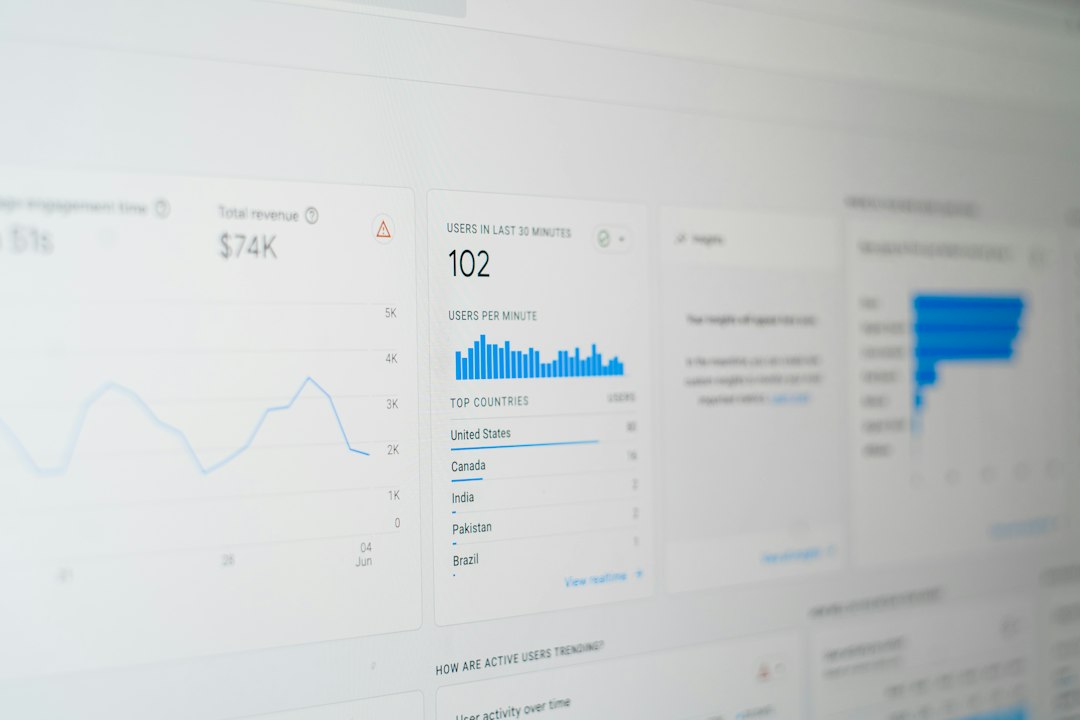
Connect your analytics, ad accounts and CRM to a dashboard that updates daily. You will spend minutes reviewing instead of hours building reports.
Tools for Digital Marketing Automation
You do not need an expensive suite. Many businesses combine a few tools.
| Need | Common tool types | Examples |
|---|---|---|
| Connecting apps | Workflow builders | Zapier, Make, n8n |
| Lead management | CRM | HubSpot and similar CRMs |
| Email campaigns | Email platforms | Mailchimp, Brevo |
| WhatsApp messaging | WhatsApp Business tools | WhatsApp Business app and API partners |
| Reporting | Dashboards | Looker Studio and similar |
Pick tools your team will actually use, and check pricing and features on each vendor’s website before you commit. For connecting forms, CRM and chat, see our guide to workflow automation for business.
How to Set Up Digital Marketing Automation Step by Step
Step 1: Map your current process
Write down what happens from the moment a lead arrives to the moment it becomes a customer. Mark the steps that are slow, manual or often forgotten.
Step 2: Choose one workflow to automate
Begin with lead capture and instant reply. One working workflow teaches you more than ten half-built ones.
Define the trigger and the action
Every automation has a trigger, such as a form submission, and one or more actions, such as sending a message and adding a row to your CRM.
Add a human checkpoint
Let people review high-value or sensitive enquiries before an automatic reply goes out. Automation should support your team, not hide it.
Test before you launch
Submit test enquiries and check every message, tag and notification. Fix errors before real customers see them.
Step 3: Measure and improve
Track response time, reply rate and leads won. Adjust messages and timing based on what you see.
What Not to Automate
Keep a human touch where trust matters. Avoid automating sensitive complaints, pricing negotiations and personal relationship moments. Never send messages to people who have not agreed to hear from you, and always give an easy way to opt out.
Where AI Fits In
Modern tools can draft replies, summarise leads and suggest content. Used carefully, they speed up your workflows. Read our guide to AI in digital marketing to see practical, safe uses.
Conclusion: Automate the Repeatable, Keep the Human
Good digital marketing automation saves time, protects your leads and gives you reliable numbers. Start with one workflow, test it well and add more as you gain confidence. If you are new to the basics, begin with what digital marketing is.
Let us automate your digital marketing
I design and build automations that capture leads, follow up instantly and report results without manual work. Tell me where your team loses time and I will suggest what to automate first.
Frequently Asked Questions
What is digital marketing automation?
It is the use of software to run repetitive marketing tasks automatically, such as follow-up messages, lead tagging, social scheduling and reporting. A trigger, like a form submission, starts actions without manual effort.
What should I automate first in digital marketing?
Start with lead capture and an instant reply, then add lead storage, follow-up sequences and reporting. These save the most time and protect enquiries from being missed.
Is marketing automation only for large companies?
No. Small businesses often benefit most because they have fewer people and less time. Simple workflows for leads, WhatsApp and email can be built with affordable tools.
Which tools are used for marketing automation?
Common choices include workflow builders like Zapier, Make and n8n, CRMs such as HubSpot, email platforms like Mailchimp or Brevo, and WhatsApp Business tools. Choose based on your needs and budget.
Will automation make my marketing feel impersonal?
Not if you design it well. Use the customer name, keep messages short and useful, and let a person handle complex or sensitive conversations. Automation should handle routine steps only.
How long does it take to set up marketing automation?
A simple workflow, such as form to CRM with an instant reply, can be built in a day or two. Larger systems with several sequences and dashboards take longer and should be rolled out in stages.
Is marketing automation legal for WhatsApp and email?
You should only message people who have agreed to hear from you, follow the rules of each platform and local law, and offer a clear way to opt out. Check current requirements for your country before launching.